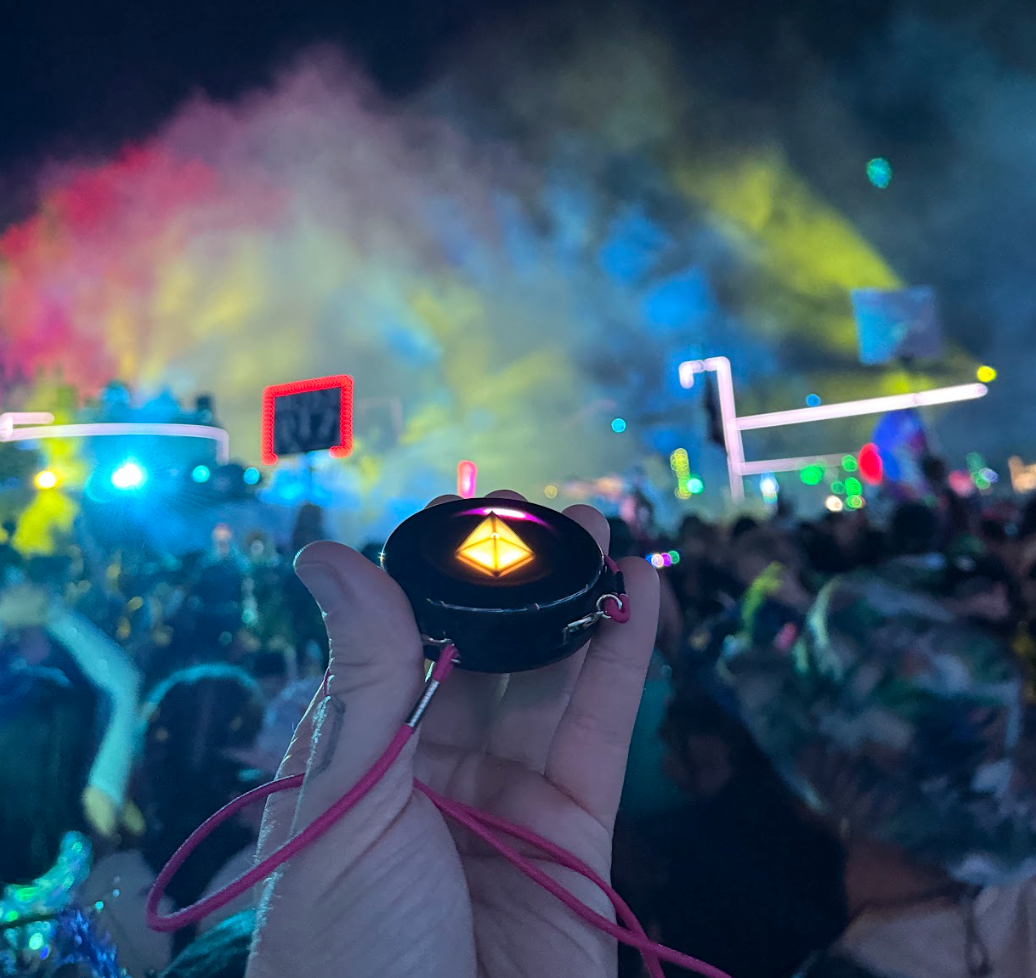
The Power Button is the raised button on the back of your Totem Compass. Click it once to turn your Totem on, click it again while it's on to switch between Vibe Mode and Eco Mode, and press and hold it until the Touch Crystal goes dark to turn it off.
If you're new here: the Totem Compass is a screen-free wearable that helps you find the people you love without relying on cell service, apps, or Wi-Fi. Totems combine satellite positioning, a peer-to-peer radio protocol, and our Unity Mesh Network™, so you can find your friends by simply following the pretty lights.
This tutorial covers everything the Power Button does: turning on, what you'll see at power-up (including your battery level and software version), Eco Mode, and turning off. For the bigger picture, see how the Totem Compass works.
How to Turn On Your Totem Compass
When you turn over your Totem Compass, you'll see two buttons near the bottom. The Power Button is the raised button on the right-hand side.
The recessed button next to it is your SOS Button, which lets you send an SOS alert to your Bonded friends (the friends whose Totems you've connected with yours) if you need them to come find you. It sits in a recessed cavity so that you don't press it by accident. Don't worry about the SOS Button for now. Our guide to SOS Mode covers it.
To turn on your Totem Compass, click the Power Button once. It's that simple!
Totems are shipped partially charged, so yours should power up within a few seconds. If your Totem doesn't turn on when you click the Power Button, charge it for 20 minutes and try again.

Click the raised button on the back of your Totem Compass to turn it on.
What You'll See When Your Totem Powers On
When you power on your Totem Compass, it tells you two things right away: which software version it's running, and how much battery it has.
Touch Crystal Color: Your Software Version
First, the Touch Crystal (the crystal at the center of your Totem) lights up. The color it shows at power-up tells you which software version your Totem is running. In the example below, the Touch Crystal is yellow, from an earlier software version.
Each release has its own power-up color, and the Software Update Guide lists the color for the latest version. At the time of writing, that's Version 5.0, which powers up Sparkly Pink. If your color doesn't match, update your Totem before you head out. The easiest way is over Bluetooth with the free Totem Compass App.

At power-up, the Touch Crystal briefly shows a color that tells you which software version your Totem is running.

Turning on your Totem quickly shows the Battery Level Indicator and a Touch Crystal color for your software version.
The Battery Level Indicator
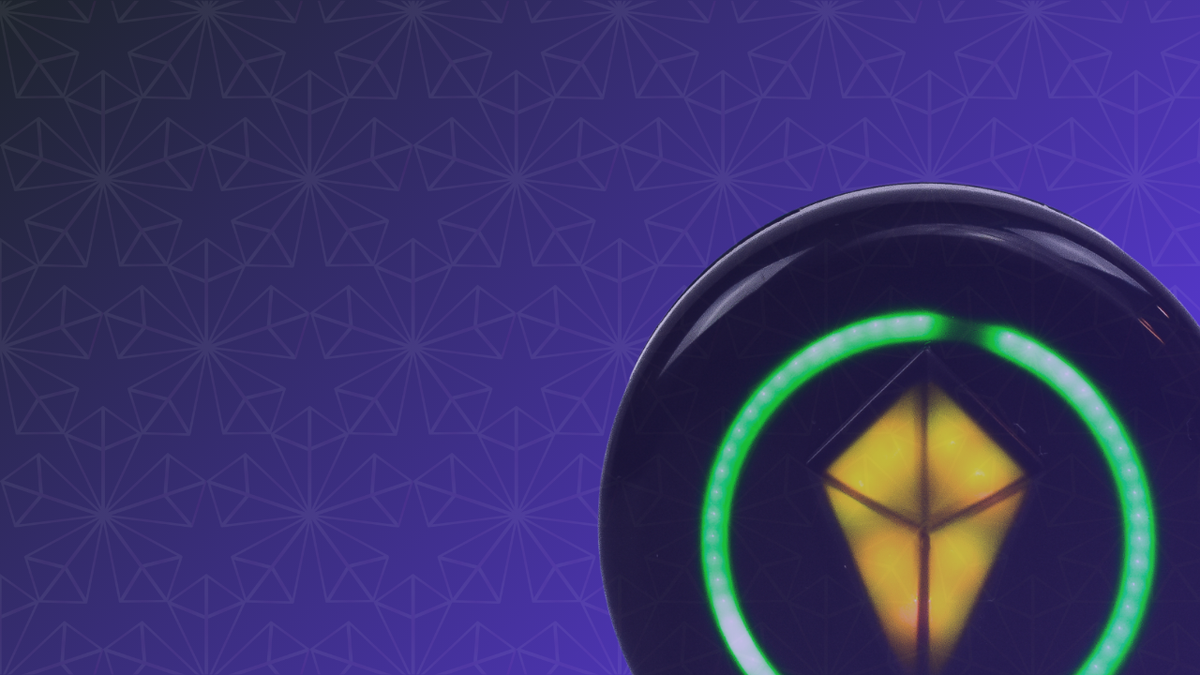
The second thing you'll see at power-up is the Battery Level Indicator. The Halo (the ring of LEDs around the edge of your Totem) lights up to show your current battery level.
A full green ring means your battery is fully charged. The shorter the ring, the lower your battery.

A full green Halo means a full battery. You're good to go :)
Totems charge fully in about 45 minutes over standard USB-C, and the Touch Crystal shows a green light when they're full. So if you've got less than a full ring, charge up before you leave for your event! Your Totem Compass will thank you. ♥️
If your Touch Crystal slowly pulses red and won't respond, your Totem needs a charge.
One important thing to know: the Battery Level Indicator is most accurate when your Totem isn't plugged in. If you turn your Totem on while it's charging, it may show more battery than it actually has.
How to Switch Into Eco Mode With the Power Button
The Power Button also controls Eco Mode, the battery-saving mode. While your Totem is on, click the Power Button once. The Touch Crystal dims and the other lights disappear, so the sound-reactive light show in Vibe Mode takes a break. Ready to vibe again? Click the Power Button once more.
On Version 5.0, your Totem can last up to 12+ hours in Vibe Mode, and Eco Mode can stretch that beyond 20 hours, depending on use. We recommend Eco Mode during the day at an event. Vibe Mode looks best at night, after all.
Bonus: on Version 5.0, your Totem keeps calibrating its heading in the background while you move around in Eco Mode, so it's ready when you pick it up to find someone. See what else is new in Totem Compass Version 5.0.
How to Turn Off Your Totem Compass
This part is easy!
To turn off your Totem, press and hold the Power Button until the Touch Crystal goes dark. This usually takes around 2–3 seconds.

Hold the Power Button until the Touch Crystal goes dark to turn your Totem off.
Turning your Totem off doesn't erase anything. Your Bonds stay saved, and they'll be there when you turn it back on.
Here's a Totem pro tip: if you're at an event and don't want to be found for a while, turn your Totem Compass off. Your location stops updating on your friends' Totems, and your Bonded friends will only be able to navigate to your last known location. Your light on their Compass will pulse to show it's not current, and on Version 5.0, it will eventually collect into their Touch Crystal until you're back.
Sometimes, we just want to wander and side quest in peace, and that's okay! Once you turn your Totem back on, your location will update on your friends' devices so they can find you. 🫶
Designed With Simplicity in Mind
The Power Button may seem like a small detail, but it's the gateway to everything the Totem Compass has to offer.
The Totem Compass is designed to empower connection, simplify experiences, and add beauty to life's most magical moments. The Power Button captures all of that: one simple click that sets everything in motion, whether you're finding your friends at a live event or exploring on your own terms.
We hope this guide makes your Totem Compass experience even smoother, so you can focus on what matters most: being present, feeling real, and sharing unforgettable moments with the people you love. Next up, learn the rest of your Totem's buttons and lights in our Totem Compass user interface guide. And as always, let the lights guide you.
Getting Totems for your crew? The Totem Compass Bundle builder lets you customize the best Bundle for your group size, with charging included for everyone, and you can split the payment with friends at checkout using Paysquad.